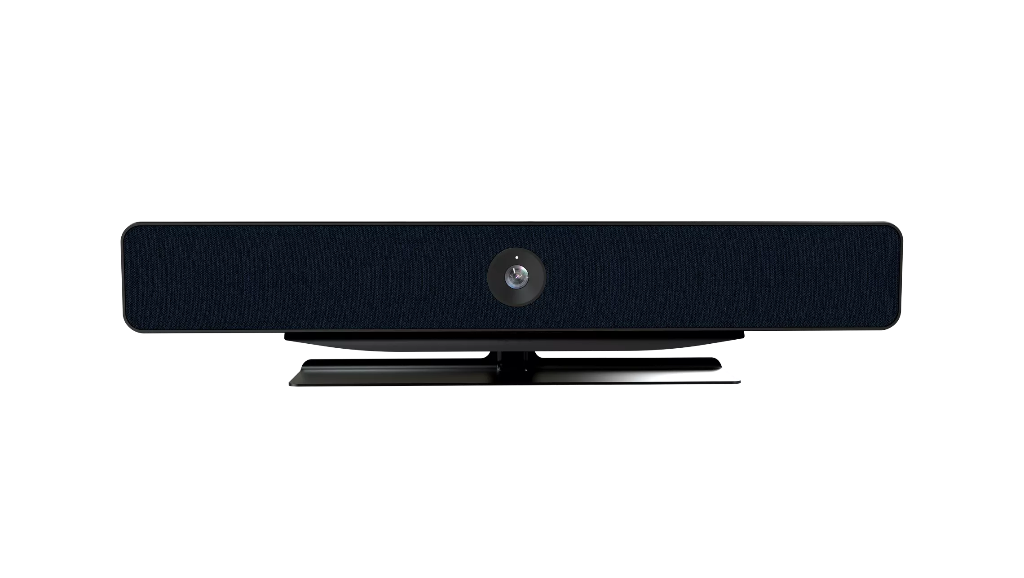
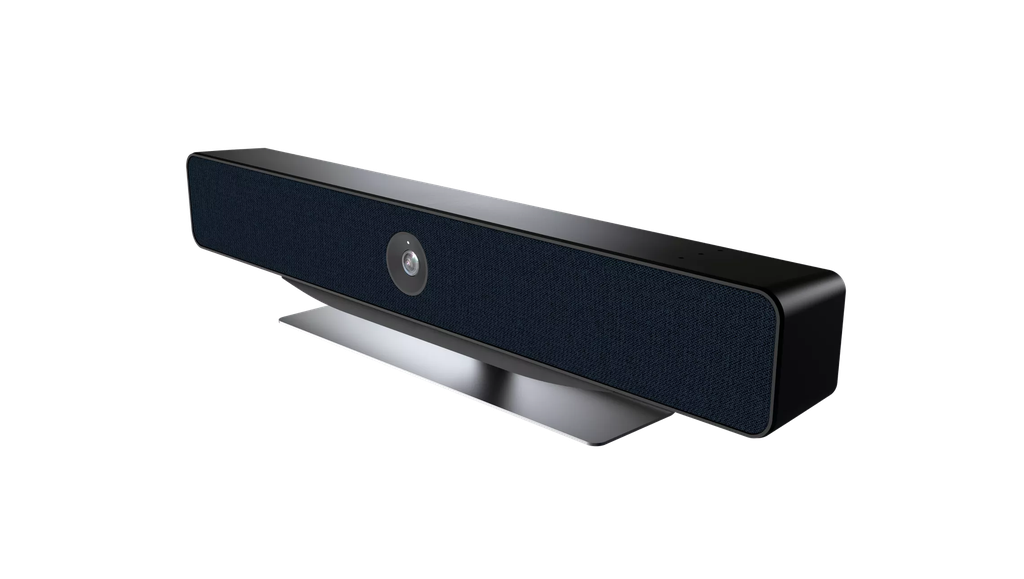
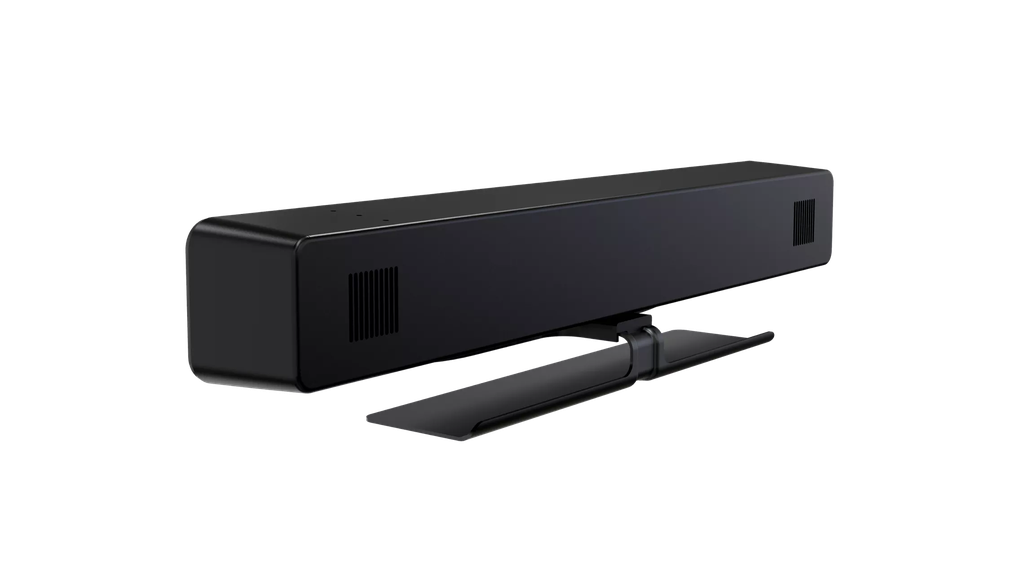
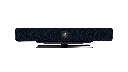
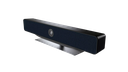
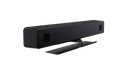
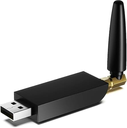
NEARITY All-in-ONE Video Conferencing Camera (NEARITY-CC-AW-C30R)
Nearity · Conference camera
C30R
All-in-One Conference Camera
For small and medium meeting rooms
Equip your meeting room with 4K UHD video, AI framing and built-in audio. Use the C30R on its own or connect Nearity A20 SpeakerMics to extend voice pickup.


Swipe or scroll for more product views.

01 / Huddle rooms
One bar for your meeting room
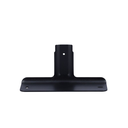
The C30R combines video capture, voice pickup and speaker playback in one unit. Set it on the included desktop stand or use an optional TV or wall bracket.
02 / 4K UHD · 120°
Fit more of the table into the shot
The 120° diagonal field of view helps include people seated near the edges of the table. The 8 MP Sony CMOS sensor supports 4K UHD video in H.264.

03 / AI framing
Keep the conversation in view
Auto-framing adjusts the shot around participants. Group close-up gives remote viewers a closer look at the team, while speaker tracking reframes the shot around the person talking.
04 / Clearer meeting audio
Hear the conversation over the room noise
Five MEMS microphones pick up voices from up to 5 m away. AI noise suppression helps reduce distractions such as typing and mouse clicks, while echo cancellation and full-duplex audio support two-way conversation.

05 / Daisy-chain expansion
Extend voice pickup along the table
Connect up to four Nearity A20 SpeakerMics for longer tables or more complex seating layouts. The connected A20 units handle voice pickup when the C30R’s built-in microphones are disabled in this setup.
USB conferencing
Compatible platforms
Connect the C30R to a Windows, macOS or Linux computer. Nearity lists Zoom, Slack and OBS among the supported applications.

C30R
Technical specifications
- Camera
- 8 MP Sony 1/2.8-inch CMOS sensor, f/1.8 aperture, up to 6× digital zoom
- Field of view
- 120° diagonal, 110° horizontal, 75° vertical
- Video output
- 16:9; H.264 up to 2160p at 25 fps, MJPEG up to 1080p at 30 fps, YUV up to 480p at 30 fps
- Video processing
- Lens distortion correction, anti-flicker, automatic white balance and exposure, and 3D noise suppression
- Framing modes
- Auto-framing, group close-up and speaker tracking
- Microphones
- Five MEMS microphones; effective pickup distance up to 5 m
- Speaker
- 5 W at 4 Ω; frequency response 160 Hz–20 kHz
- Audio processing
- Sound direction detection, beamforming, AI noise suppression, full-duplex audio, echo cancellation, automatic gain control and reverberation suppression
- Audio expansion
- Up to four Nearity A20 SpeakerMics via RJ45/CAT6 daisy chain
- USB and power
- USB 2.0 Type-C; external DC 48 V / 1.35 A power supply
- Operating systems
- Windows, macOS and Linux
- Size and weight
- 570 × 81 × 77 mm (W × H × D); 2.01 kg net
- Finish and placement
- Lunar Rock Gray; desktop stand standard, TV and wall brackets optional
Frequently asked questions
Can I adjust how quickly speaker tracking responds?
Yes. Adjust the response time with the remote control or Nearity Device Manager.
Why does the sound differ depending on where I sit?
When you face the front of the C30R, the speaker is to the left of the lens and the microphone array is to the right.
Do the built-in microphones stay active with A20 units connected?
No. In a daisy-chain setup, the C30R disables its built-in microphones and the A20 units take over voice pickup.
How high should I mount the C30R?
Nearity recommends mounting the bar below 1.8 m for the best audio and video experience in a small meeting room.
Nearity · Conference camera
C30R
All-in-One Conference Camera
For small and medium meeting rooms
Equip your meeting room with 4K UHD video, AI framing and built-in audio. Use the C30R on its own or connect Nearity A20 SpeakerMics to extend voice pickup.
Swipe or scroll for more product views.
01 / Huddle rooms
One bar for your meeting room
The C30R combines video capture, voice pickup and speaker playback in one unit. Set it on the included desktop stand or use an optional TV or wall bracket.
02 / 4K UHD · 120°
Fit more of the table into the shot
The 120° diagonal field of view helps include people seated near the edges of the table. The 8 MP Sony CMOS sensor supports 4K UHD video in H.264.
03 / AI framing
Keep the conversation in view
Auto-framing adjusts the shot around participants. Group close-up gives remote viewers a closer look at the team, while speaker tracking reframes the shot around the person talking.
04 / Clearer meeting audio
Hear the conversation over the room noise
Five MEMS microphones pick up voices from up to 5 m away. AI noise suppression helps reduce distractions such as typing and mouse clicks, while echo cancellation and full-duplex audio support two-way conversation.
05 / Daisy-chain expansion
Extend voice pickup along the table
Connect up to four Nearity A20 SpeakerMics for longer tables or more complex seating layouts. The connected A20 units handle voice pickup when the C30R’s built-in microphones are disabled in this setup.
USB conferencing
Compatible platforms
Connect the C30R to a Windows, macOS or Linux computer. Nearity lists Zoom, Slack and OBS among the supported applications.
C30R
Technical specifications
- Camera
- 8 MP Sony 1/2.8-inch CMOS sensor, f/1.8 aperture, up to 6× digital zoom
- Field of view
- 120° diagonal, 110° horizontal, 75° vertical
- Video output
- 16:9; H.264 up to 2160p at 25 fps, MJPEG up to 1080p at 30 fps, YUV up to 480p at 30 fps
- Video processing
- Lens distortion correction, anti-flicker, automatic white balance and exposure, and 3D noise suppression
- Framing modes
- Auto-framing, group close-up and speaker tracking
- Microphones
- Five MEMS microphones; effective pickup distance up to 5 m
- Speaker
- 5 W at 4 Ω; frequency response 160 Hz–20 kHz
- Audio processing
- Sound direction detection, beamforming, AI noise suppression, full-duplex audio, echo cancellation, automatic gain control and reverberation suppression
- Audio expansion
- Up to four Nearity A20 SpeakerMics via RJ45/CAT6 daisy chain
- USB and power
- USB 2.0 Type-C; external DC 48 V / 1.35 A power supply
- Operating systems
- Windows, macOS and Linux
- Size and weight
- 570 × 81 × 77 mm (W × H × D); 2.01 kg net
- Finish and placement
- Lunar Rock Gray; desktop stand standard, TV and wall brackets optional
Frequently asked questions
Can I adjust how quickly speaker tracking responds?
Yes. Adjust the response time with the remote control or Nearity Device Manager.
Why does the sound differ depending on where I sit?
When you face the front of the C30R, the speaker is to the left of the lens and the microphone array is to the right.
Do the built-in microphones stay active with A20 units connected?
No. In a daisy-chain setup, the C30R disables its built-in microphones and the A20 units take over voice pickup.
How high should I mount the C30R?
Nearity recommends mounting the bar below 1.8 m for the best audio and video experience in a small meeting room.